
o zone – logging in for the first time
When you first use the new o zone, you will need to set up your access before you can log in.
First-time login
1. Go to the o zone registration page.
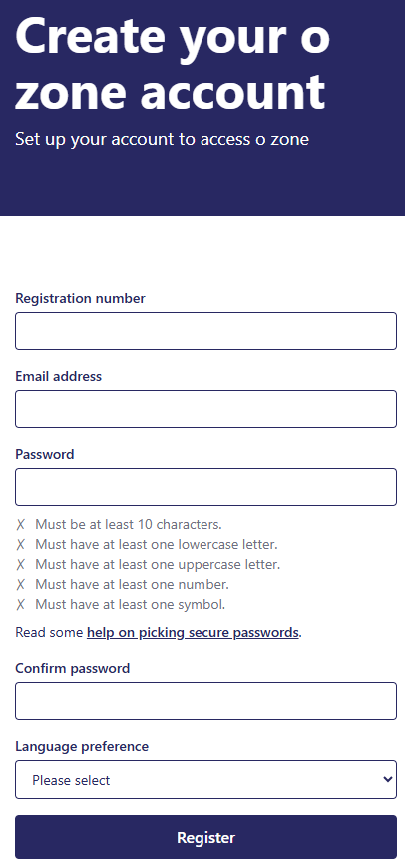
2. Enter your GOsC registration number.
3. Enter the email address you used to log in to the previous o zone.
4. Create a new password (Your password will need to meet the security requirements shown on the page.)
5. Confirm your new password.
6. Choose your preferred language: English or Welsh.
7. Select Register.
8. You will receive an email asking you to verify your email address.
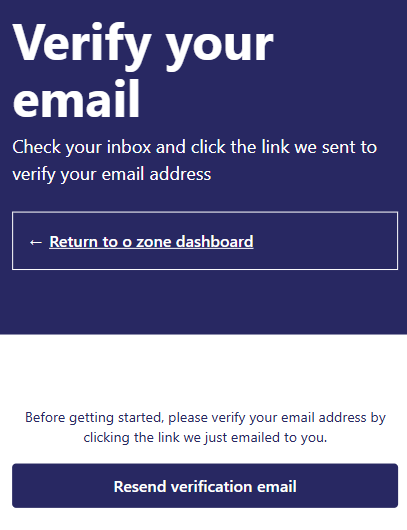
9. Open the email and click the verification link. (if you don’t get the email within 60 seconds, please check your junk folder).
Logging in after you have registered
Once you have set up access to the new o zone, you can log in by:
- going to the o zone login page;
- enter your email address;
- enter your password;
- enter the one-time passcode sent to your email address.
This one-time passcode is an extra security step to help protect your account.